Christmas merch design ideas you can test before you order stock
A holiday drop is the one collection with a hard deadline. If your Christmas merch arrives in late December, it sits in a box until next year. So the real question behind most searches for Christmas merch design ideas is not only "what should I print?" but "how do I know it works before I pay for blanks and printing?"
This guide gives you five design ideas that suit a small apparel brand, and shows how to test each one on a real garment, in 3D, with festive product photos, before you order a single shirt.
Why test Christmas merch before you order
Seasonal stock is a bet. You choose a colour, a print size and a placement, and you find out if they work only when the first box arrives. For a holiday drop there is rarely time for a second try.
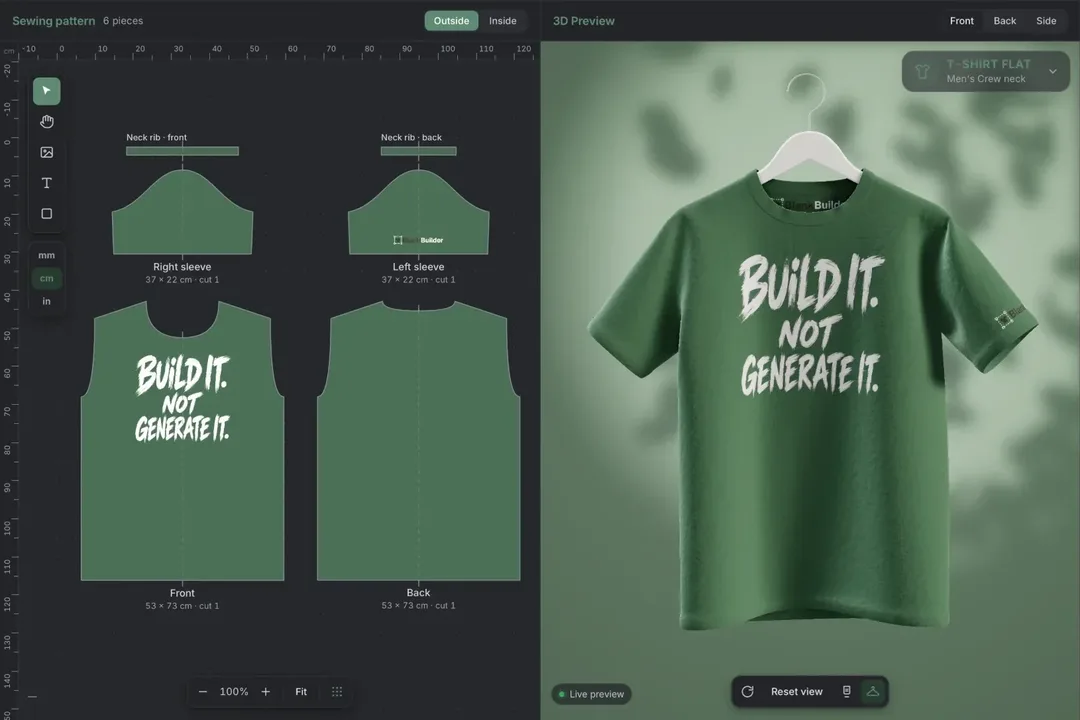
A mockup template helps a little, but most templates are a flat photo with your artwork pasted on top. They don't show how big the print really is, where it lands near a seam, or how it looks on a different colour of fabric. When you design on the real sewing pattern instead, every print has its true size in cm or inches, and the 3D garment shows the result as you work. If you are new to that way of working, start with how to make a T-shirt mockup from your own design.
Idea 1: a festive colourway of a design you already sell
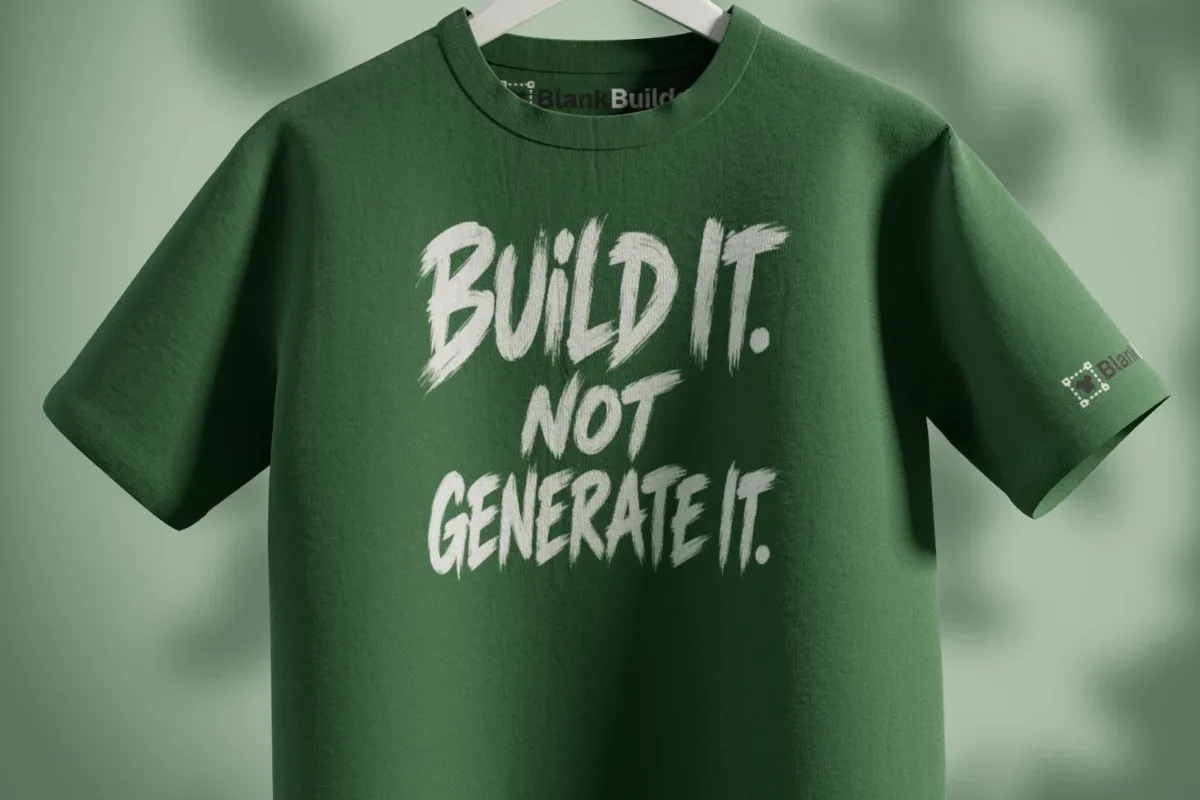
The easiest Christmas collection is not a new design at all. Take your best seller and give it a winter colourway: deep green, burgundy, cream, or black with a silver or gold print. Your customers already like the artwork, and the new colour makes it feel like a limited edition.
In the builder you change the fabric colour and the 3D garment updates at once, with every print exactly where you put it. Try the same print on several garments and colours side by side, and keep only the ones that look strong.
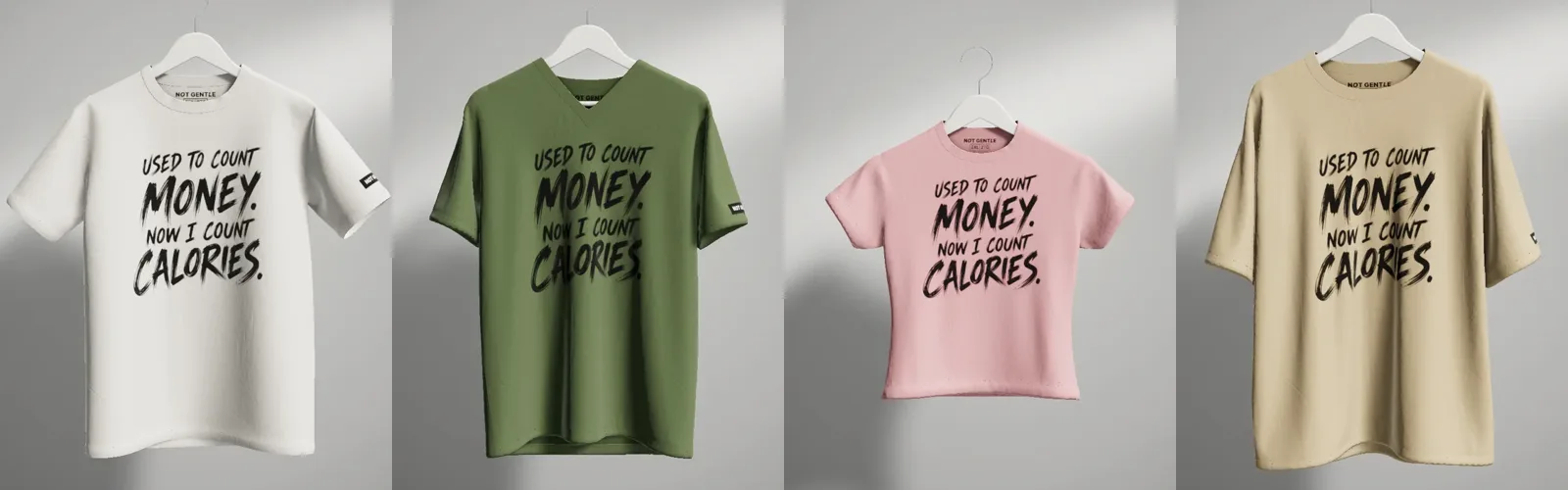
Tip: choose your holiday colours from the photos, not from a colour card. A print that looks bold on cream can disappear on tan.
Idea 2: ornament prints in red and green, or silver
Round ornaments, medallions and lace-like patterns read as "holiday" without a single snowflake. They also work all year, which matters if some stock is left in January.
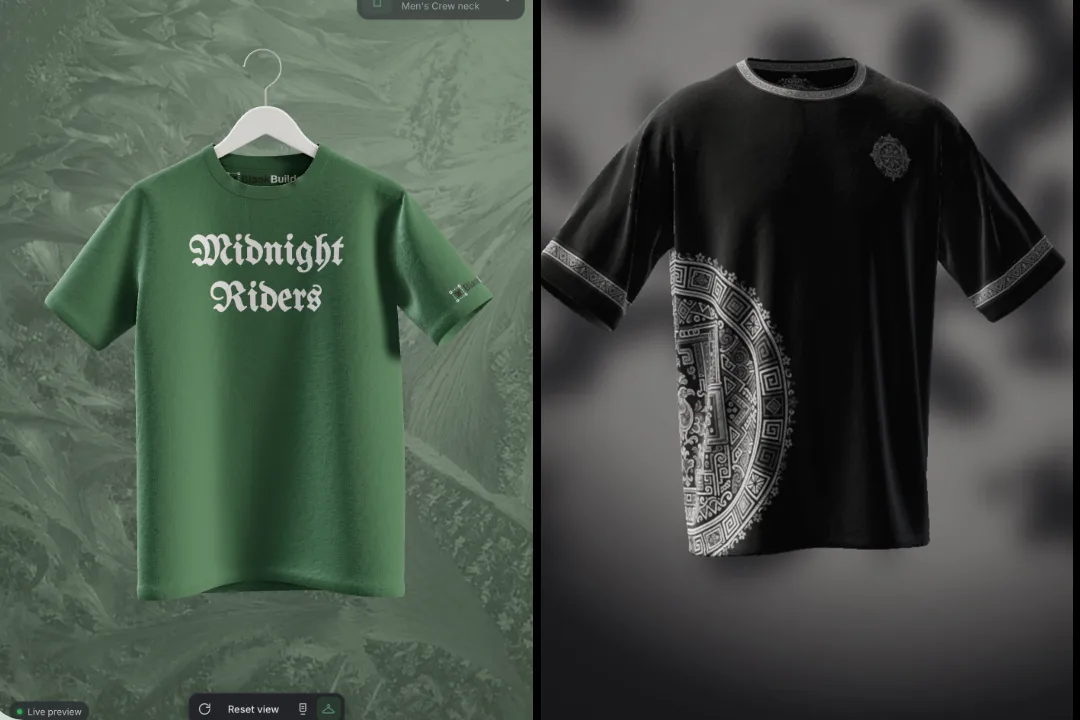
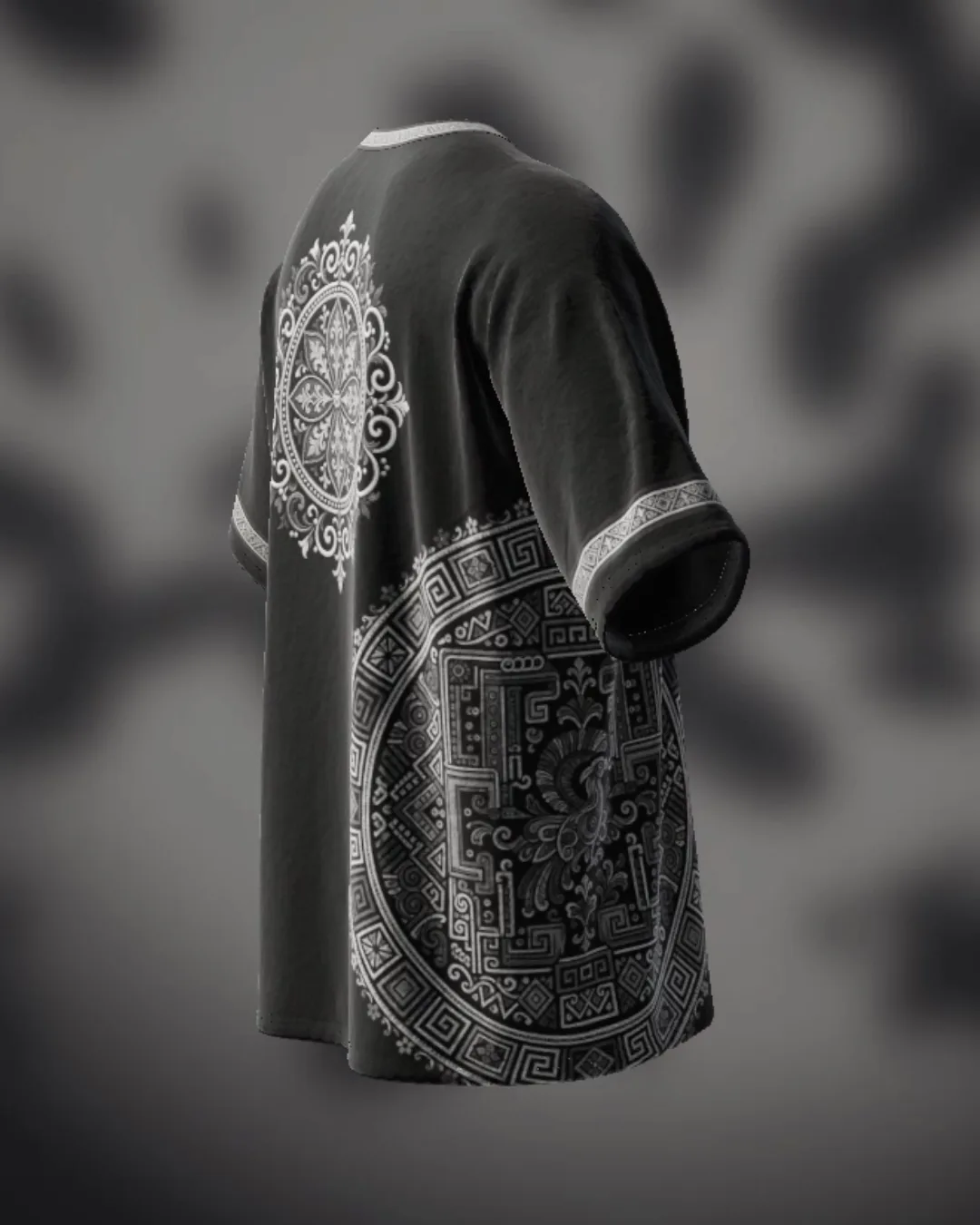
A good way to decide the colours is to make two versions of the same print. In the example below, a large round ornament is first tried in warm orange, red and green, then switched to silver on the same black oversized tee.
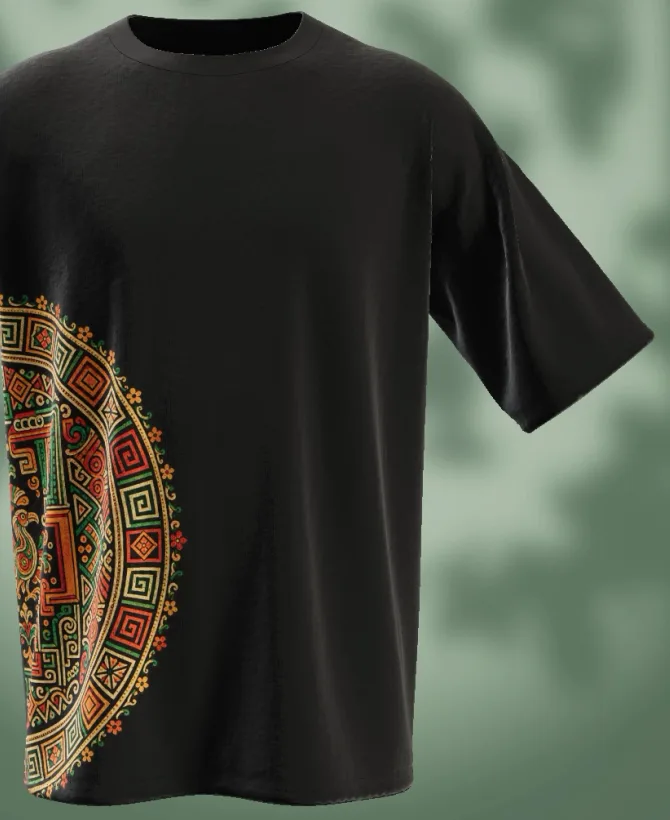
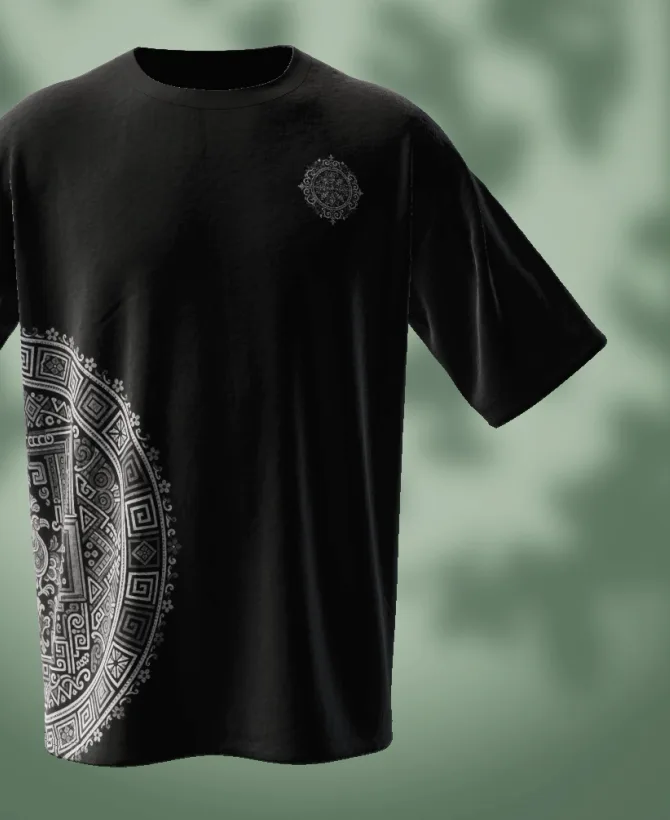
Comparing the two in 3D takes minutes, and it answers a question that is hard to answer from a flat file: which version looks better on the body?
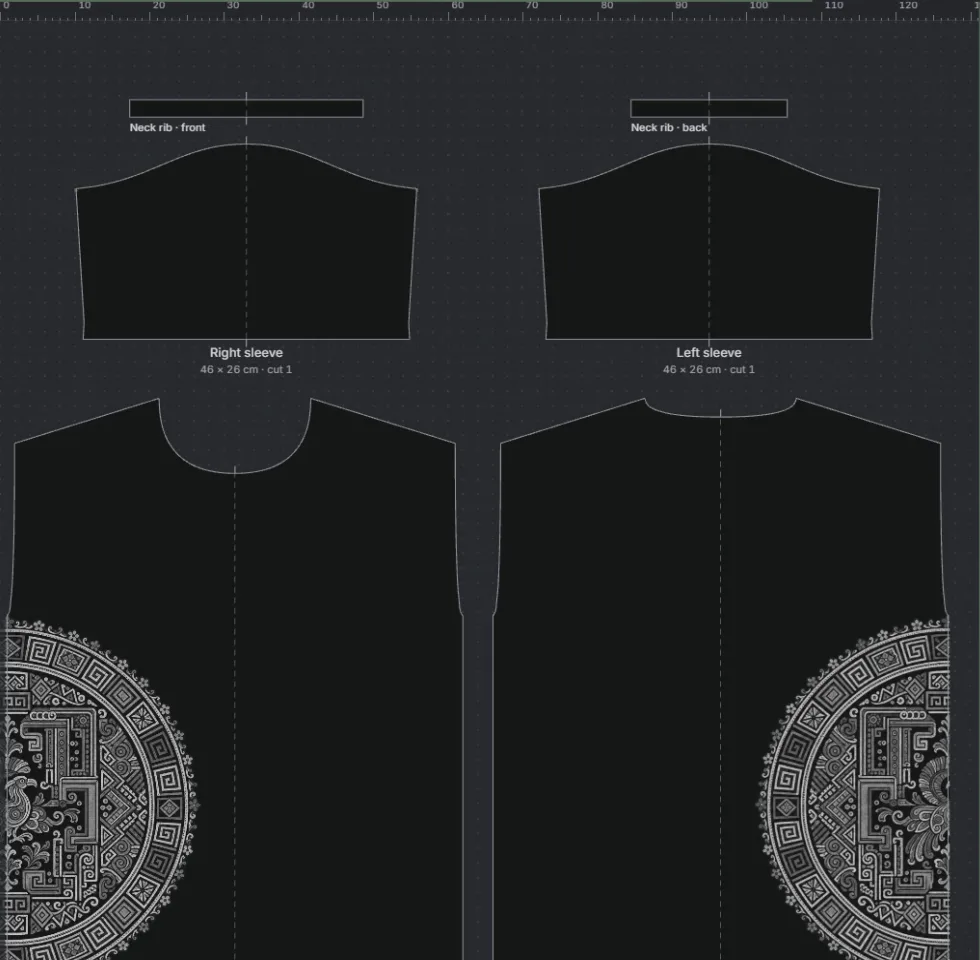
Let the print wrap around the side
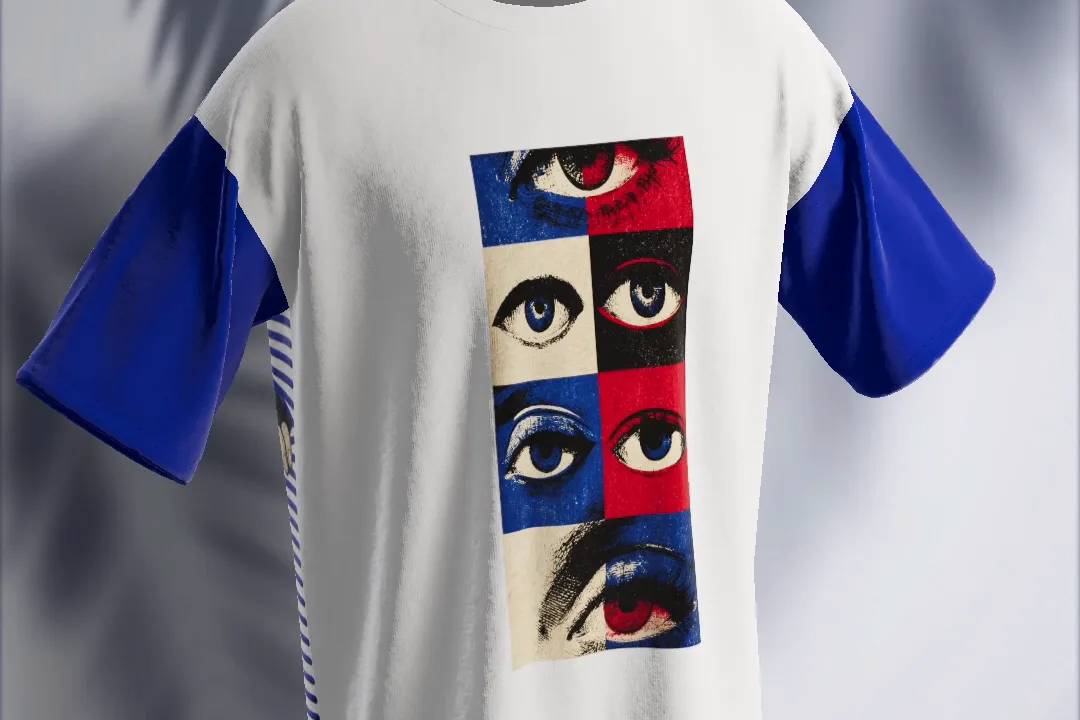
A big print that runs from the front onto the back looks like a premium piece. On a sewn shirt that means the artwork has to line up across the side seam. With Wrap over seams, your artwork continues across the side seams onto the back, the way it would on the finished garment, and the print files follow.
Idea 3: gothic lettering for a winter drop
Blackletter type (the old, sharp lettering you see on vintage labels and winter market signs) gives a short phrase a festive, classic feel. Think of a town name, your brand name, or two words such as "Winter Club".
The Text tool has a Gothic group with eight blackletter fonts, from sharp fraktur to softer gothic. You can use them on products you sell, and text made in the builder comes out in the print files as vector outlines, so your printer doesn't need your fonts. If you are not sure which file to send, read what is the best file format for T-shirt printing.
Idea 4: cosy fabrics and soft gradients
Winter merch sells on feel. Under Appearance → Material you choose what the garment is made of, for example fleece / French terry for a heavy, warm look or rib knit for texture, and the fabric surface in 3D and in renders changes to match. A hoodie in fleece with a small chest print can be the whole holiday collection.
For something less classic, choose Gradient under Colour to blend the garment from top to bottom, with up to 5 colours. A deep green fading to black, or white fading to icy blue, gives a winter mood without any artwork at all.
Idea 5: holiday product photos with seasonal backdrops
A Christmas product page needs Christmas photos, and a photoshoot for every colour is slow and costly. The Catalogue render makes studio pictures of the 3D garment with real light, and the Scene tab sets the backdrop.
Under Backdrop light on the Scene tab there are holiday options with soft shadows on the backdrop: spruce branches, string lights, frosted glass and more. Two sliders, Backdrop brightness and Backdrop contrast, make the paper lighter or darker and the shadows softer or stronger. Invert light swaps light and shadow, so branch shadows become branches of light.
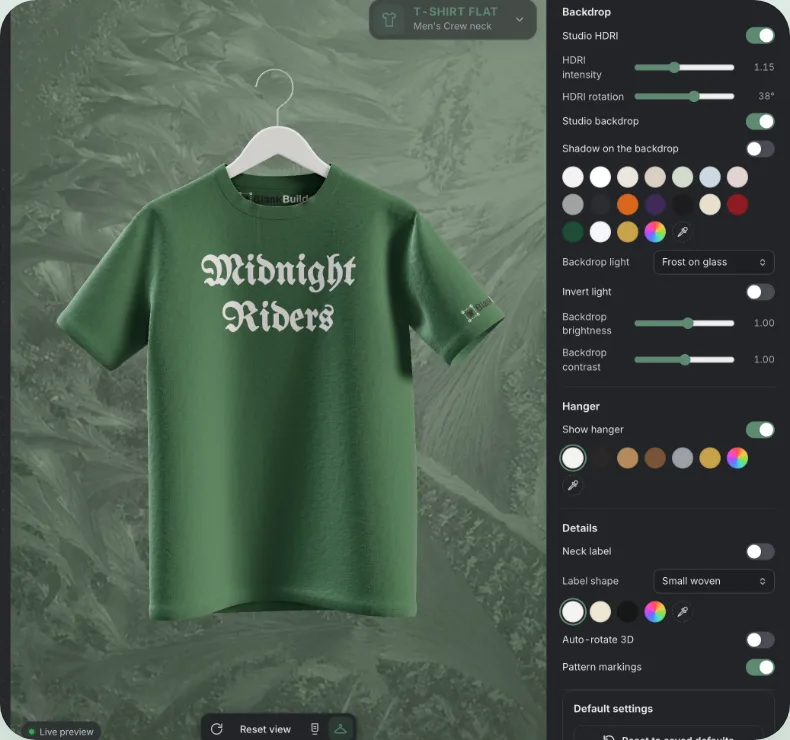
When the scene looks right, make one photo per colour with the same angle and framing, so your store looks like one consistent collection. One click sets the recommended catalogue size, 2000 × 2500. Save as PNG for full quality or WebP for a smaller file on your store. For Reels and stories, a Turntable video turns the garment 360° in 6, 8 or 10 seconds.
From idea to order: a short checklist
- Pick one or two ideas from this list, not all five. A small, clear drop is easier to sell.
- Design on the real pattern and check every print size with the ruler.
- Try two or three colourways and keep the ones that look best in 3D.
- Make holiday product photos of every colour with the same backdrop and framing.
- Post the photos early to see which colour people react to, before you order blanks.
- Export Print files: each print as its own PNG at real size and 300 DPI. The builder checks your pictures first and tells you if one would print blurry.
- Add the Spec sheet (PDF) with the size and position of every print, so the print shop places everything exactly as you designed it.
Remember that BlankBuilder is design software: it does not print or sell clothing. You take the files and the spec sheet to your own print shop, so leave enough time for their production before the holidays.
Summary
The best Christmas merch design ideas for a small brand are simple: a festive colourway of a design people already love, ornament prints, gothic lettering, cosy fabrics, and product photos that look like the season. What makes them safe is testing them first: real print sizes on the sewing pattern, every colour in 3D, and holiday photos ready before the stock is. For a hoodie version of the same workflow, see how to make a hoodie mockup that's ready for print, and check what's new for everything the builder can do today.
Questions
Where are the Christmas backdrops in BlankBuilder?
On the Scene tab, under Backdrop light. The holiday options include spruce branches, string lights and frosted glass.
Can I see my Christmas design in every colour before I order blanks?
Yes. Change the fabric colour and the 3D garment updates at once, with your prints where you placed them. You can make a studio photo of each colour with the same framing.
Does BlankBuilder print or ship the merch?
No. BlankBuilder is design software. You get product photos, print files at real size and a spec sheet, and you take the files to your own print shop.
What size should holiday product photos be?
For an online store catalogue the builder has a one click recommended size of 2000 × 2500. Save the photo as PNG for full quality or WebP for a smaller file on your store.